What is the AI zombie transformation trend?
Every October people post short clips of themselves turned into movie-style zombies with AI. The look borrows from classic zombie films: grey skin, torn clothes and a foggy street at night. Most versions play it for laughs rather than scares.
How it works
Add your photo
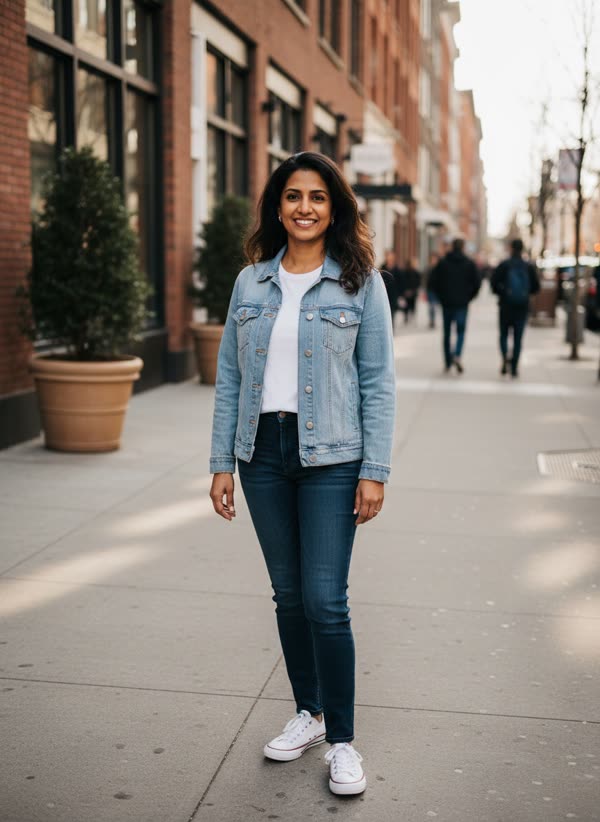
You: face clear, chest up.
Pick a style
Choose classic zombie, zombie bride or groom or my pet. A short direction is optional.
Get your take
A 8-second vertical MP4 arrives in 2–4 minutes, ready for TikTok, Reels and Shorts.
What happens in the 8 seconds
- 0–2s
You stand in the fog under a street lamp as a zombie, shoulders twitching.
- 2–5s
You lock eyes with the lens and shuffle toward the camera.
- 5–8s
Up close, you give a slow, goofy head tilt and a crooked grin as fog rolls past.
Ideas for your take
- A Halloween post without buying make-up
- A costume reveal for the group chat
- A quick spooky intro for your stories
What it costs
One take uses 40 credits. Your first take on MagicTakes is free. Credits come in one-time packs, never expire, and a take that fails gives its credits back.
| Pack | Takes | Per take |
|---|---|---|
| Starter · $9.99 | 2 | $4.00 |
| Creator · $29 | 8 | $3.52 |
| Pro · $79 | 25 | $3.16 |
If a take doesn't look right
- The face doesn't look like you
- Use a sharp, front-facing photo in good light, without sunglasses or heavy filters.
- The make-up looks too strong or too weak
- Make another take from the same photo. Each take is a new attempt and the make-up varies a little.
- Someone else shows up as a zombie too
- Crop the photo so only you are in it.
Questions about Zombie Transformation
What kind of photo works best?
A sharp, bright photo of one person facing the camera, chest up, with the whole face in view. Sunglasses, masks and heavy filters make the face harder to keep.
Is the video gory?
No. It is movie make-up: grey-green skin, dark eyes and torn clothes. There is no blood, no wounds and nothing graphic.
Can I turn my pet into a zombie?
Yes. Choose the "My pet" style and upload a photo of your dog or cat. Your pet keeps its own fur and markings.
How long does it take?
Usually two to four minutes. You can leave the page; the take is saved in your library when it is ready.
How much does it cost?
40 credits for an 8-second take. If a take fails to generate, its credits go back to your balance automatically.
What happens to my photo?
Your photos are deleted after 30 days, and your takes are private unless you share them yourself.
Can I post it on TikTok or Reels?
Yes. Takes are vertical 9:16 MP4 files made for TikTok, Reels and Shorts. Download the take and post it like any other video.
Can I use a photo of someone else?
Only photos of adults who agreed to it. Photos of children can't be used.