How to Make a Zombie Couple Video With Your Partner
The zombie couple trend has a simple joke: one of you survives the apocalypse, the other is a zombie who still wants a cuddle. The Zombie Couple template on MagicTakes makes it from two photos, one of each of you, in an 8-second vertical clip that ends in a hug. Here is how to set it up so the right person turns into the zombie.
What the zombie couple trend is
It is a Halloween couples post that mixes a horror setting with a sweet, silly ending. Couples share it as a joke about each other: who would survive, and who would be the clingy zombie.
In the MagicTakes version, you walk toward the camera down a foggy street at dusk, glancing back nervously, while your partner shuffles after you with arms out as a goofy movie zombie: a grey tint, a few dark veins at the temples, faintly milky eyes, messy hair and torn, dusty clothes. Around two seconds in, they catch up and reach for your shoulder, and you turn around. In the last three seconds, instead of a bite, you get a clumsy, stiff zombie hug, and you burst out laughing and hug back.
There is no blood and nothing graphic. Both of you stay recognisable under the make-up.
Unlike the solo zombie template, this one is built around two people and one moment: the hug. That is what makes it a couples post rather than a costume post, and it is why the ending is warm rather than scary.
How to make it on MagicTakes
- Open the Zombie Couple template.
- Upload your photo in the first slot, "You (the survivor)".
- Upload your partner's photo in the second slot, "Your partner (the zombie)".
- Choose a scene: Foggy street or Empty supermarket.
- Tap Make my take. It costs 40 credits, and your first take is free with a small magictakes.com mark.
- Wait two to four minutes, then download the 8-second 9:16 MP4.
Which photos work best
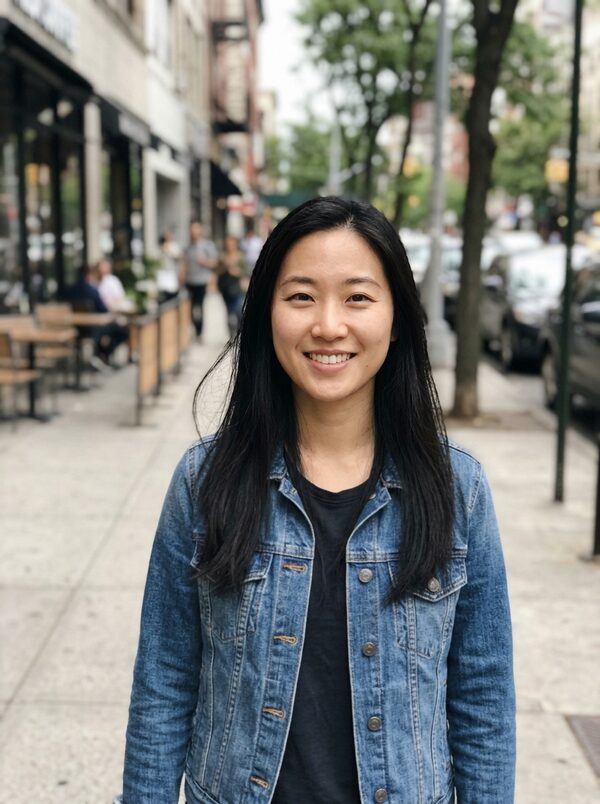
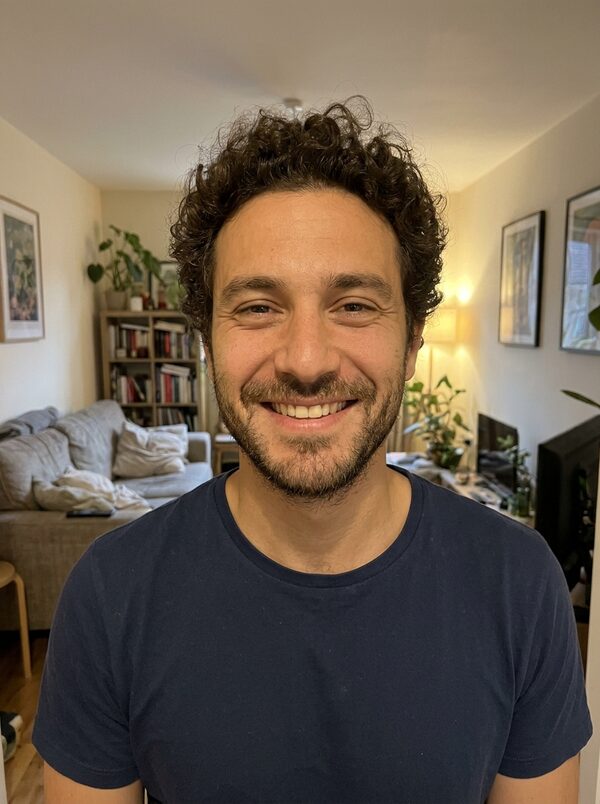
Because two photos become one scene, they should be as alike as you can manage.
Selfies work well here, since they tend to be front-facing and chest up already. If one of you is wearing a hat or sunglasses in your favourite photo, pick another one: both faces need to stay recognisable under the make-up for the joke to land.
- Two clear, front-facing photos, one person in each
- Face clear and chest up in both
- Similar light in both photos, so the two of you match in the scene
- No sunglasses, masks or heavy filters
- If you'd rather be the zombie, simply swap which photo goes in which slot
Foggy street or Empty supermarket
Foggy street puts you on an empty suburban street at dusk with light fog, an abandoned car and scattered leaves. It is the classic apocalypse look and the closer match to the trend.
Empty supermarket sets the chase in a dim, empty aisle with a few toppled cans. You push a shopping trolley while your zombie partner follows. It is the funnier of the two, and works well if the joke is about whose turn it is to do the shopping.
Ideas for posting it
Takes are silent 9:16 MP4 files for TikTok, Instagram Reels and YouTube Shorts, so add a sound when you post.
If you are posting it from a shared account, write the caption from the survivor's side; if your partner is posting it, from the zombie's. People enjoy seeing which of you takes the joke.
- Caption it "Still clingy after the apocalypse"
- Post it on your anniversary if it falls in October
- Make two takes, swapping roles, and post them as "Who would survive?"
- Tag your partner, as long as they're happy for it to be public
- Use it as a couples costume idea before you commit to the real thing
When a take doesn't look right
Each take is a new attempt from the same two photos, so small things like the angle of the hug or the zombie's expression change from one take to the next. Every take is kept in your library.
- You swapped roles: check the slots. You go in the first slot; the person who becomes the zombie goes in the second.
- A face doesn't look right: use sharp, front-facing photos in good light, one person each.
- The hug looks awkward: make another take from the same photos. Each take is a new attempt and the motion varies.
- A take failed to generate: its credits go back to your balance automatically.
Ask your partner first
This template uses a photo of someone else, so ask them before you upload it. Both photos must be of adults who agreed; photos of children and public figures can't be used. Uploads are deleted after 30 days, and the take stays private until one of you shares it.
Questions
Can I make it with a friend instead of a partner?
Yes. The template works with any two adults who both agreed. The hug ending is just as funny with a best friend or a sibling.
Can we take photos at different times and places?
Yes, but similar light helps. Two daytime photos, or two indoor photos, blend better than one bright and one dim.
Does the free first take work for this template?
Yes. Your first take is free with a small magictakes.com mark. After that, each take is 40 credits.
Can we both be zombies?
Not in this template: one person is always the survivor. For two zombies, make a Zombie Transformation take of each of you.