How to Do the 80s AI Photo Trend as a Video: Your Retro Glow-Up
The 80s AI photo trend restyles you with big hair, bold colours and a neon studio backdrop, like an old mall portrait. The video version adds a hair flip, a point at the camera and a big laugh, with a soft VHS look. This guide covers the photo to use, the three decades and how to keep the result looking like you.
What the 80s AI photo trend is
Retro AI portraits that restyle people in 1980s and 1990s looks, often modelled on yearbook and mall studio photos, keep coming back on TikTok and Instagram. The appeal is simple: you get to see how you'd have looked in your parents' era, without the perm.
On MagicTakes it is a 6-second vertical clip, a little shorter than most of our templates. We restyle your hair styling, clothes and setting, and keep your face, facial features, skin tone and hair colour as they are. In the first two seconds you appear in full '80s style in front of a neon laser grid, bobbing to the beat and running a hand through your big hair. From two to four seconds you flip your hair, turn to the camera and point at the lens. In the last two seconds both hands point at the camera as you break into a big laugh.
How to make it on MagicTakes
- Open the 80s Glow-Up template.
- Pick a decade: Neon '80s, '90s or '70s disco.
- Upload one photo: face clear, chest up, facing the camera.
- Tap Make my take. It costs 30 credits; your first take is free with a small magictakes.com mark.
- Wait 2 to 4 minutes. The take is saved in your library, so you can leave the page.
- Download the 9:16 MP4 and post it, or try another decade on the next take.
Which photo works best
The restyle builds on what is already there, especially your hair. The more of it the photo shows, the bigger the change can be.
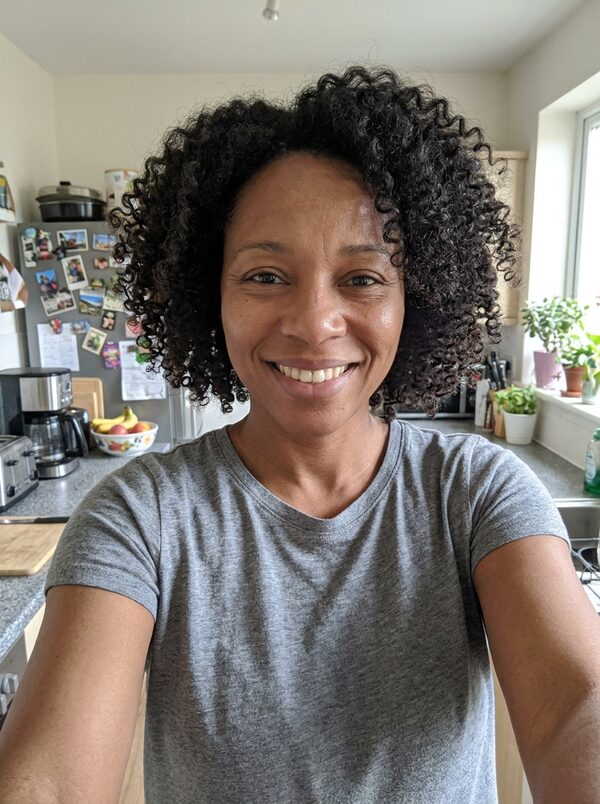
- A front-facing photo, chest up, with your face clear.
- Even light on your face and no heavy filters.
- Hair visible. A hat or hood leaves very little to restyle.
- One person in the photo.
- A plain photo is fine. The outfit and background are replaced, so you don't need to dress up.
Neon '80s, '90s or '70s disco
Neon '80s is the default: big, voluminous hair in your own colour, a bright colour-block windbreaker, bold accessories and a laser-grid backdrop in neon pink and cyan. It is the loudest of the three and the one most people expect from the trend.
'90s is quieter: relaxed, layered hair, an oversized denim jacket over a plain top and a mottled blue studio backdrop, finished with a grainy camcorder look instead of neon.
'70s disco goes the other way: big feathered hair, a wide-collared satin shirt and a sparkling mirror-ball backdrop in warm gold light, with faded film colour and sparkles moving across the background.
Each decade is its own take. Making all three from the same photo gives you a small set that works well as a series.
Ideas for posting it
Takes are vertical 9:16 MP4 files at 720p, ready for TikTok, Instagram Reels and YouTube Shorts. They are silent, so pick a retro-sounding track in the app you post to.
- A throwback post for your birthday. Caption idea: Born in the wrong decade.
- A theme-party invite, with the date and dress code as on-screen text.
- Post all three decades back to back and ask people to pick one.
- Show your parents how you'd have looked in their era, and ask for an old photo of theirs in return.
- Put your original photo first so the glow-up has a before.
What goes wrong and how to fix it
The restyle changes three things: your hair styling, your clothes and the setting. If anything else changes, such as the shape of your face or your hair colour, that is the take drifting, not the effect. A clearer photo and another take usually fix it.
- Your face looks different: use a sharper, front-facing photo with even light and no filters.
- The restyle is too subtle: pick a photo with your hair visible.
- The VHS look is too strong or too weak: it varies a little between takes. Make another take from the same photo.
- Your hair colour changed: make another take. The restyle is meant to keep your own hair colour.
- A take fails: the 30 credits go back to your balance automatically.
Whose photos you can use
Use photos of yourself or of adults who agreed to it. Photos of children and of public figures can't be used. Your uploads are deleted after 30 days, and your takes stay private unless you share them.
Questions
Do I need to wear anything special in my photo?
No. The clothes and backdrop are replaced, so any everyday photo works as long as your face and hair are clear.
Does the video have the VHS look in every decade?
The '80s version has a soft VHS look, with gentle colour bleed and a glow on the neon. The '90s version uses a grainy camcorder look, and the '70s version a warm, faded film colour.
Can I do it with my pet?
This template is made for people. For a pet, try a pet template such as Cartoon Pet or Knight Pet.
Why does my face look a little different between takes?
Each take is a new attempt. A sharp, front-facing photo with even light keeps every take closest to you.
Why is it only 6 seconds?
The '80s clip ends on the laugh, which is the best moment, so it is 6 seconds instead of the usual 8. That is also why it costs 30 credits rather than 40.