How to Make an AI Werewolf Transformation Video From One Photo
A werewolf video is only fun if you see the change happen. The Werewolf Transformation template on MagicTakes starts with you, as you are, in a moonlit forest, and the change happens on camera. One photo, an 8-second vertical clip, dramatic but never gory.
What the werewolf transformation looks like
The first frame is you in a misty pine forest at night, shot from the chest up like a still from a werewolf film, with cold silver-blue moonlight on your face and a huge full moon glowing through the trees behind you. You wear your own clothes, and at this point you look exactly like yourself.
For the first two seconds you look up at the moon, breathing hard, then turn away from the camera. From two to five seconds you turn back changed: thick wolf fur, tall pointed ears, a muzzle and glowing amber eyes, with your clothes stretching and tearing at the seams. In the last three seconds the finished werewolf stands tall among the trees, tips its head back and howls at the moon.
The change is dramatic, but there is no blood and no gore, and the fur and torn clothes always cover the body, so it stays on the fun side of Halloween.
How to make it on MagicTakes
- Open the Werewolf Transformation template.
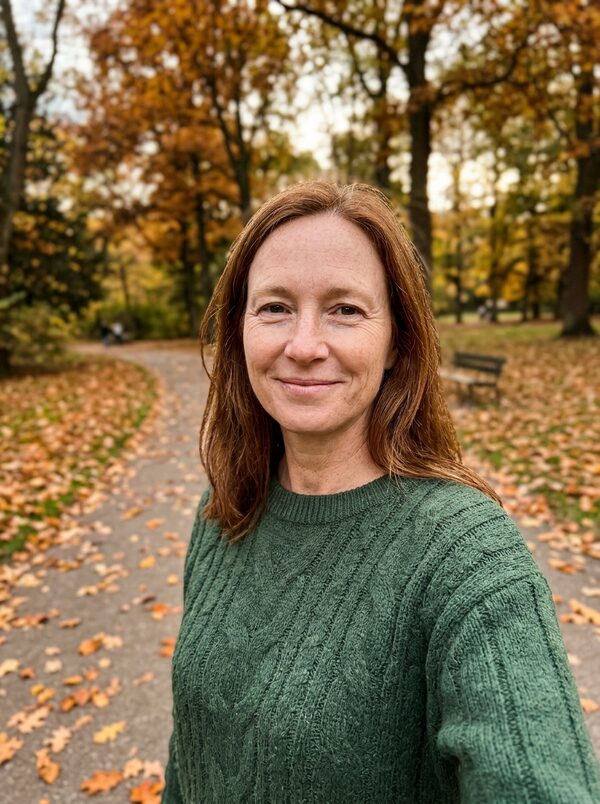
- Upload one photo of yourself: face clear, chest up, hair visible.
- Choose a style: Werewolf, or My pet for a dog or cat.
- Tap Make my take. It costs 40 credits, and your first take is free with a small magictakes.com mark.
- Wait two to four minutes. You can leave the page; the take is saved in your library when it is ready.
- Download the 8-second 9:16 MP4 and post it.
Which photo works best
Two things matter here: your face, because the opening frame has to look like you, and your hair, because the werewolf's fur follows its colour.
A plain background is fine: you are placed in the forest either way. What matters is that your face is sharp, evenly lit and not turned away, because the first two seconds show you as yourself before anything changes.
- Face the camera with your whole face in view
- Hair clearly visible, not under a hat or hood
- Good light, with no sunglasses or filters
- Just you in the photo; crop out other people
- Chest up is enough, since the scene frames you from the chest up
Werewolf or My pet
Werewolf is the main version, for a photo of a person. The werewolf's fur follows your hair colour, so dark hair tends to give a dark wolf and blond hair a pale one.
My pet is for a dog or cat. Your pet sits in the same moonlit forest and looks up at the moon, then its fur grows thicker and shaggier, it gets bigger and more wolf-like, its eyes glow amber and it howls at the moon. It keeps its own colours and markings, so it is still clearly your pet. It works especially well as a joke about a pet that already acts a bit wild.
Ideas for posting it
The reveal is in the middle of the clip, so let it play: no need to trim. Takes are silent 9:16 MP4 files for TikTok, Instagram Reels and YouTube Shorts.
If you plan to post both a person and a pet version, make the person take first. It shows you how the scene and the change look, so you know what to expect before you spend credits on your pet.
- Post it on a full-moon night in October with a caption like "Not tonight"
- Caption it "Me when someone eats the last slice"
- Make one of you and one of your pet and post them back to back
- Use the moment the eyes glow as your cover frame
When a take doesn't look right
- The person at the start doesn't look like you: use a sharp, front-facing photo in good light, without sunglasses or heavy filters.
- The change happens too fast or not at all: make another take from the same photo. Each take is a new attempt and the timing varies.
- The fur colour looks wrong: use a photo where your hair is clearly visible.
- Your pet changed into a different animal: use a photo where its face and markings are sharp and fill most of the frame.
- A take failed to generate: its credits go back to your balance automatically.
Whose photo you can use
Use a photo of yourself, another adult who agreed to it, or your own pet. Photos of children and public figures can't be used. Uploads are deleted after 30 days, and your takes are private unless you share them.
Questions
Does it work if I have very short hair or no hair?
Yes, it still works, but the fur colour is less predictable, because it normally follows your hair. If you get a colour you don't like, make another take.
Can I keep my glasses on?
Clear glasses are usually fine. Sunglasses hide your eyes, and the glowing eyes are a big part of the effect, so take them off for the photo.
Is it too scary for younger viewers?
It is dramatic, with a snarling wolf and a howl at the moon, but there is no blood or gore. Only adults and pets can be in the photo, though.
What does it cost after the free take?
40 credits a take. Packs start at $9.99 for 100 credits, credits never expire and failed takes refund automatically.