How to Make an AI Slow Dance Video From Two Separate Photos
The slow dance video puts two people photographed apart into one romantic scene, swaying under the lights with one gentle turn. You need one photo of each of you, and both of you need to be happy to be in it. Here is how to get photos that match and pick the right setting.
What the slow dance video is
It is an 8-second vertical clip made from two photos. We first put you together in one scene, then animate the dance. For the first two seconds you hold each other close under the string lights and sway. From two to five seconds your joined hands go up and one of you does a gentle turn. In the last three seconds you come back into each other's arms and rest your foreheads together as the camera finishes a slow arc around you.
It is quiet and simple on purpose. There are no big moves, which keeps it believable and makes it suit anniversaries, long-distance couples and anyone who never got the dance they wanted.
How to make it on MagicTakes
- Open the Slow Dance template.
- Pick a setting: Rooftop, Ballroom or Snowy night.
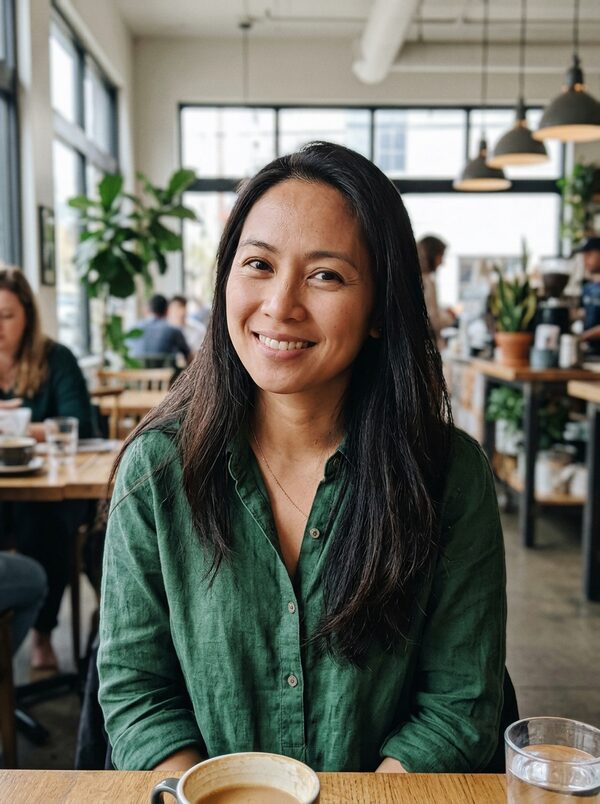
- Upload the first photo, You: face clear, chest up.
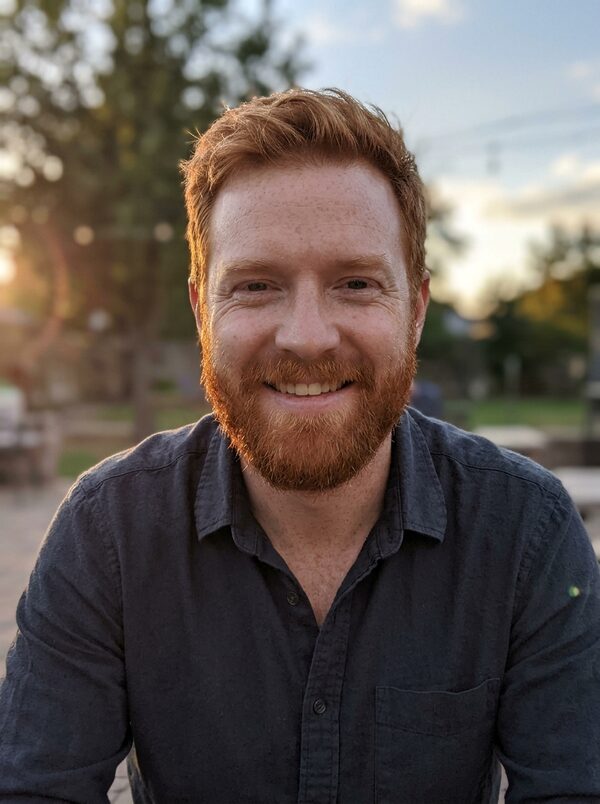
- Upload the second photo, Your partner: face clear, chest up.
- Tap Make my take. It costs 40 credits; your first take is free with a small magictakes.com mark.
- Wait 2 to 4 minutes, then download the 9:16 MP4 from your library.
Photos that match
Most problems with two-photo templates come from photos that don't match each other, not from bad photos. If one is a close selfie and the other was taken across a room, the two of you can end up at odd heights.
- Use two photos taken from a similar distance, both chest up.
- Faces clear and front-facing, one person per photo.
- Daylight or even indoor light in both helps you match.
- Shoulders in view in both photos give the turn and the hold more to work with.
- Skip strong filters on one photo only. If you use a filter, use none at all.
Rooftop, Ballroom or Snowy night
Rooftop is the default: a rooftop party at dusk, with string lights overhead and a city skyline glowing behind you. It is the most relaxed of the three and suits an everyday anniversary post.
Ballroom moves you to an elegant room with chandeliers and a polished wooden floor, and dresses you both formally. It suits a wedding countdown, a save-the-date or a dance you never got to have.
Snowy night puts you on a quiet snowy street with warm lamplight and string lights, in winter coats and scarves. It suits holiday cards and the colder months.
In every setting your faces, hair and skin tone are kept as they are in your photos, and the camera circles you slowly. In Ballroom, chandelier light glints as you turn; in Snowy night, soft snow falls around you.
Ideas for posting it
Takes are vertical 9:16 MP4 files at 720p, made for TikTok, Instagram Reels and YouTube Shorts. They are silent, which is helpful here: pick your own slow song in the app you post to.
- An anniversary or Valentine's Day post. Caption idea: Same dance, every year.
- A wedding countdown or save-the-date clip with the date as on-screen text.
- For a long-distance couple, send it privately on the day you can't be together.
- A holiday card using Snowy night, sent to family instead of a photo card.
- Make one of each setting and post them as a series across a week.
What goes wrong and how to fix it
Two-person clips have more that can go wrong than solo ones, mainly hands and scale. If a take is close but not right, make another from the same photos before you swap anything; each take is a new attempt.
- One of you doesn't look like yourself: use sharper, front-facing photos where the face fills more of the frame.
- You look very different heights: pick photos taken from a similar distance. Make another take if the scale still looks off.
- Hands or arms look tangled during the turn: make another take. Photos with both shoulders in view help.
- The photo was rejected: both photos must show adults who agreed to it.
- A take fails: the 40 credits go back to your balance automatically.
Consent comes first
A slow dance is intimate. Only use a photo of a partner, or another adult, who has said yes to being in it, and check with them before you post it anywhere public. Never make one with an ex, a crush or a stranger. Photos of children and of public figures can't be used. Uploads are deleted after 30 days, and your takes are private unless you share them.
Questions
Who leads the turn?
The person in the second photo lifts your joined hands and the person in the first photo turns under their arm. Swap the photos if you'd like the other one to turn.
Can we choose what we wear?
In Rooftop you each keep the clothes from your own photo. Ballroom puts you both in formal wear, and Snowy night in winter coats and scarves. Your faces, hair and skin tone stay as they are in your photos.
Can I make it with a friend instead of a partner?
Yes, as long as they are an adult and agreed to it. For a group of friends, the Friends Dance Party template takes three photos.
Is there music in the video?
No. Takes have no sound, so you can choose the song yourself when you post or send it.