How to Make an AI Airport Arrival Video Where You Walk Out Like a Star
The airport star arrival gives you the entrance usually saved for the very famous: sunglasses, security staff, flashing cameras and a crowd behind the barrier. You make it from one photo of yourself or your pet. This guide covers the photo, the two styles and what to do when your face or the walk look off.
What the airport arrival trend is
Paparazzi-style airport arrivals are a staple of celebrity coverage: a star walks out of the gate in sunglasses while photographers crowd the barrier. The AI version hands that same entrance to anyone, which is the joke. It works best when the person in it is ordinary and the fuss is enormous.
On MagicTakes it is an 8-second vertical clip, filmed as if on a phone from the crowd. In the first two seconds you walk out of the arrivals hall pulling a carry-on, two security staff a step behind you. From two to five seconds camera flashes pop and the crowd behind the barriers cheers and films, and you turn toward someone calling out. In the last three seconds you touch your sunglasses, smile, give a small wave and keep walking toward the camera.
How to make it on MagicTakes
- Open the Airport Star Arrival template.
- Choose Star for yourself, or My pet to make your dog or cat the VIP.
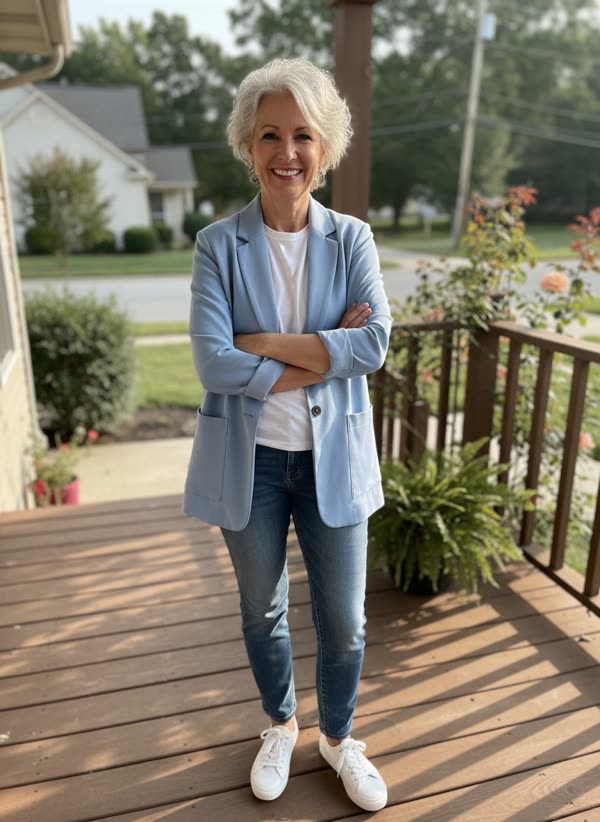
- Upload one photo: full body or waist up, face clear.
- Tap Make my take. It costs 40 credits; your first take is free with a small magictakes.com mark.
- Wait 2 to 4 minutes. The take is saved in your library even if you leave the page.
- Download the 9:16 MP4 and post it with a sound of your choice, since the clip is silent.
Which photo works best
The clip is a walk, so it needs to see how you stand and move. A tight selfie gives it very little to work with below the shoulders.
- A full-body or waist-up photo gives the walk the most to work with.
- Standing rather than sitting, so your legs and feet look natural in motion.
- Face clear and well lit. Skip photos where you're already wearing sunglasses; the clip adds its own, and your face needs to stay recognisable.
- One person or one pet in the photo.
- For a pet, pick a photo where it fills most of the frame with its whole head visible.
Star or My pet
Star is the standard version: you are the VIP, with two security staff at your back and the crowd at the barrier.
My pet makes your dog or cat the star. It trots out of the arrivals hall in tiny sunglasses on a short leash held by one of the security staff, head held high, and wags its tail as the flashes pop. It keeps your pet's exact fur, colours and markings, and it is often the funnier of the two.
Everyone else in the scene is made up. The crowd and the security staff are not real people, and there are no logos or brands in view.
Ideas for posting it
Takes are vertical 9:16 MP4 files at 720p, made for TikTok, Instagram Reels and YouTube Shorts.
- Announce a trip home or a big return. Caption idea: Landed. Please respect my privacy.
- A birthday post for a friend who deserves the fuss, made from a photo they sent you and agreed to.
- Your pet's grand arrival after a trip to the groomer or the vet.
- A meme for the group chat right after you land, while everyone is still asking how the flight was.
- Pick a sound with a strong beat; the camera flashes in the middle of the clip line up well with it.
What goes wrong and how to fix it
Most fixes come down to two things: a clearer photo, or simply another take. Each take is a new attempt, so the crowd, the flashes and the walk come out a little different every time, and every take is kept in your library so you can pick the one you like.
- Your face changes while you walk: use a sharper photo with your face front-facing and well lit.
- Your face is hard to see behind the sunglasses: use a sharp, well-lit photo without sunglasses, then make another take.
- Your legs or feet look odd: use a photo where your whole body is in view, standing rather than sitting.
- Your pet looks too small: choose a photo where it fills most of the frame.
- A take fails: the 40 credits go back to your balance automatically.
Whose photos you can use
Use photos of yourself, of adults who agreed to it, or of your own pets. Photos of children and public figures can't be used, so this can't put you next to a real celebrity. Your uploads are deleted after 30 days, and takes stay private until you share them.
Questions
Can I add a sign with my name?
Not inside the video. The scene is kept free of signs and writing so nothing comes out misspelled. Add your own text on top in the app you post to.
Will I be wearing sunglasses the whole time?
Mostly, yes. You walk out in sunglasses and touch them as you smile and wave near the end. Your face shape, hair and smile carry the likeness, which is why a clear photo without sunglasses matters.
Can I make it with two people arriving together?
This template takes one photo of one person or one pet. For two people, make a take for each and post them back to back.
How many credits does it use?
40 credits, the same as the other 8-second templates. Credits come in one-time packs from $9.99 for 100, never expire, and failed takes are refunded automatically.